 Ask Chatgpt to summarize WordPress Multisite Maintenance and Support: What Networks Require That Single-Site Plans Don’t
 Ask Grok to summarize WordPress Multisite Maintenance and Support: What Networks Require That Single-Site Plans Don’t
 Ask Claude to summarize WordPress Multisite Maintenance and Support: What Networks Require That Single-Site Plans Don’t
 Ask Perplexity to summarize WordPress Multisite Maintenance and Support: What Networks Require That Single-Site Plans Don’t
 Ask Gemini to summarize WordPress Multisite Maintenance and Support: What Networks Require That Single-Site Plans Don’t

WordPress Multisite maintenance differs from single-site care in three specific ways: network-level update sequencing, the risk that one network-activated plugin failure breaks every subsite simultaneously, and a backup strategy calibrated to the shared database. Agencies and businesses running multisite networks need maintenance procedures and support SLAs built for those risks, not adapted from a single-site framework.
Why Multisite Maintenance Is a Different Category
What breaks on a single WordPress site affects one business. What breaks on a multisite network affects every client site or brand property on the network simultaneously. That scale changes the risk profile of every maintenance decision.
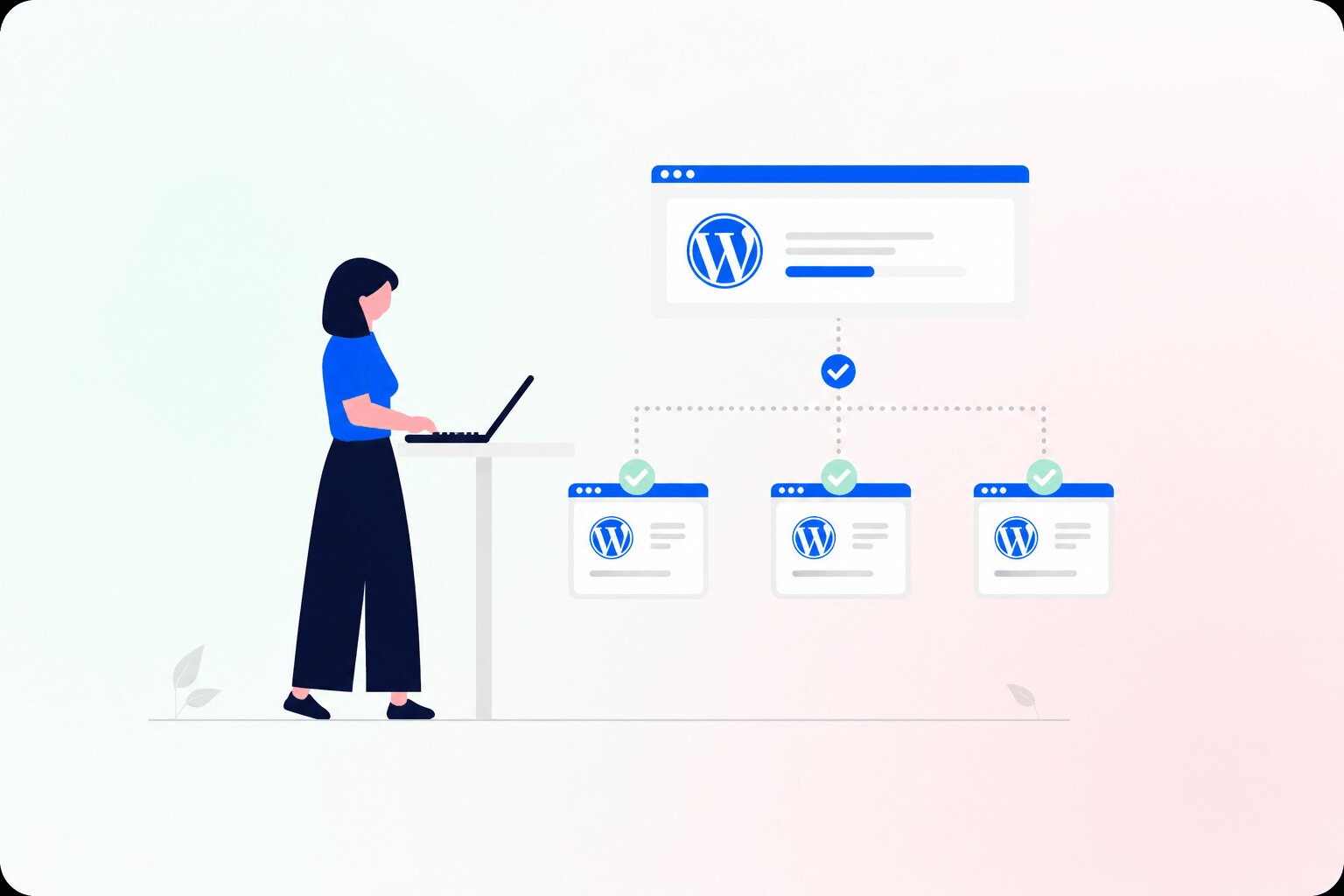
The shared infrastructure is the core reason. All subsites in a WordPress Multisite network share a single WordPress installation, a single database with separate table prefixes per subsite, and a single wp-config.php. A failure at the network level, whether from a bad update, a corrupted plugin, or a database error, propagates across all subsites unless it is isolated quickly.
Network-activated plugins add a second layer of risk. In a standard Multisite setup, plugins can be activated at the network level, applying to all subsites, or at the per-subsite level. Network-activated plugins have no isolation. A plugin updated at the network level that introduces a compatibility issue breaks every subsite that depends on it, at the same moment, with no ability for individual subsite admins to roll back independently.
According to Patchstack’s 2024 WordPress vulnerability statistics, 96% of all WordPress vulnerabilities discovered in 2024 were in plugins rather than WordPress core. On a multisite network, a vulnerable network-activated plugin exposes every subsite simultaneously without requiring separate compromise of each installation.
Update Sequencing for WordPress Multisite Networks
On a single WordPress site, updates can be applied in almost any order without dramatically increasing risk. On a Multisite network, the sequence matters: applying updates in the wrong order is the primary cause of network-wide outages.
The correct sequence for a WordPress Multisite network:
- WordPress core
- Network-activated plugins, in dependency order, starting with any plugins that others depend on
- Per-subsite plugins, tested per subsite where possible
- Network-active themes, then per-subsite themes
The reason network-activated plugins must follow core immediately is that WordPress core updates sometimes change hooks and APIs that plugins depend on. If per-subsite plugins are updated before network-activated plugins have been validated against the new core version, the result can be a conflicted state across the entire network that is difficult to diagnose.
Staging for a multisite network is not the same as staging for a single site. A valid multisite staging clone must include the full network database, all network-activated plugins at their current versions, and a representative sample of subsites. Staging a single subsite and treating it as a proxy for the network misses the majority of compatibility risks.
When a network-activated plugin update breaks subsites, the immediate step is to deactivate the plugin at the network level via Network Admin. This removes it from all subsites simultaneously, restoring functionality while you investigate the conflict. If deactivation is insufficient, restoring from the pre-update database snapshot is the only reliable recovery path.
Backup Strategy for WordPress Multisite Networks
A single WordPress site backup is straightforward: files plus database, on a daily schedule. A multisite network backup requires more thought because the shared database makes per-subsite restore a fundamentally different and more complex operation than full-network rollback.
According to UpdraftPlus’s multisite restore documentation, per-subsite restoration on a multisite network “can never be guaranteed to work seamlessly, and in many cases will require further manual work, or can’t work at all,” because plugin files, WordPress core, and shared wp-content resources cannot be automatically merged for a single subsite import. This is not a plugin limitation: it is a consequence of how multisite stores shared network resources.
Two backup approaches serve different recovery scenarios:
Full-network backup. This captures the entire database and all files across all subsites. It is the correct backup for network-level failures: core updates gone wrong, database corruption, or compromised installations that affect the whole network. Full-network restores overwrite all subsite data to the backup state, which is appropriate for infrastructure-level failures but destructive if only a single subsite has a content problem.
Per-subsite backup. Capturing the database tables for a specific subsite (those prefixed with the subsite’s blog ID) allows restoring one subsite’s content without affecting others. This handles content-level problems on individual subsites. The limitation is that network-level configuration and network-activated plugin state is shared and cannot be restored per-subsite independently.
A practical schedule for a production multisite network: full-network backup daily, a pre-update snapshot before every maintenance cycle, and per-subsite incremental backups for active content-producing subsites. The pre-update snapshot is non-negotiable: it is the only recovery point that covers a network-wide update failure with zero data loss.
Testing restores matters more on a multisite network than on a single site. The restore procedure is more complex, and the cost of a failed restore during an actual outage scales with the number of subsites affected. Restore procedures should be rehearsed on a staging clone at least quarterly.
Security and Access Governance Specific to Multisite
The super admin account is a single point of compromise for every subsite on the network. If a super admin credential is stolen or an account is left without two-factor authentication, every subsite is exposed at once.
WordPress security monitoring for a multisite network must cover the network level, not just per-subsite file integrity checks. A compromised plugin installed at the network level distributes malicious code to every subsite without per-subsite admins being aware of it.
Subsite admin access creates its own governance risk. Depending on network configuration, subsite admins may be able to install their own plugins, change themes, or modify user roles. Each of these actions is a potential source of cross-site conflict: a plugin installed by a subsite admin may conflict with a network-activated plugin and break other subsites, or introduce technical debt that complicates the next maintenance cycle.
Documented access governance matters as much as technical controls. Who has super admin access, what changes require network admin approval, and how per-subsite admin requests are reviewed should be written policies, not informal conventions. For agencies managing multisite networks for clients, documented change governance also sets expectations with clients about what they can and cannot modify without coordinating with the agency.
Support SLA Requirements for Multisite Networks
A critical incident on a single WordPress site affects one business. A critical incident on a multisite network affects every subsite simultaneously. The support response time that is acceptable for a single-site outage may be inadequate when the scope of impact spans 10 or 50 client sites.
WordPress support for a multisite network should define two incident tiers explicitly: network-level incidents affecting all or most subsites, and per-subsite incidents limited to one site. Network-level incidents warrant faster escalation because the business impact scales with the number of subsites affected.
For a network-level critical incident, the support provider should acknowledge within 30 minutes and have an engineer actively working on the problem within one hour. A 4-hour or next-business-day response SLA that may be acceptable for a single-site critical issue is not adequate when multiple client sites are simultaneously unavailable.
Communication protocol matters when multiple subsite owners are affected. If an agency runs a client multisite and a network-level incident brings down three client sites, the agency needs enough information quickly enough to manage client communication. Support incident updates during a network outage should be specific and actionable: not “we are investigating” but “the issue is traced to [plugin name] at the network level; deactivation is in progress; estimated restoration in 20 minutes.”
Multisite vs. Separate Installations: The Maintenance Trade-Off
For agencies and multi-property businesses choosing between Multisite and separate WordPress installations, maintenance cost and risk profile should be part of the decision. The architecture choice has direct implications for maintenance overhead and how much risk is concentrated.
| Factor | WordPress Multisite | Separate Installations |
|---|---|---|
| Update scope | One operation, all subsites | Per-site, fully isolated |
| Plugin conflict risk | Network-wide failure possible | Isolated to one site |
| Backup complexity | Shared DB, requires network strategy | Independent per site |
| Support incident scope | All subsites potentially affected | One site at a time |
| Admin dashboard overhead | Single dashboard for all subsites | Multiple logins/dashboards |
| Managed maintenance cost | Single plan covers the network | Per-site plan per installation |
Multisite reduces administrative overhead for large networks of similar sites: same plugins, similar configurations, one admin interface. It concentrates risk when subsites have different plugin requirements, different update schedules, or different risk tolerances.
Separate installations cost more to maintain at scale, more logins, more update cycles, but provide full isolation: an update that breaks one site cannot propagate to another. For agencies with clients who have materially different plugin stacks or risk profiles, separate installations may be the lower-risk architecture even though the administrative overhead is higher.
What a Managed WordPress Multisite Maintenance Plan Should Include
Standard WordPress maintenance plans are designed for single-site setups. Four elements separate a plan that is capable of handling a multisite network from one that is not:
Network-level update sequencing with staging. The provider must follow the correct update order: core, then network-activated plugins, then per-subsite plugins, then themes. All updates should be applied to a full-network staging clone before production deployment. Staging only a single subsite is not an adequate validation for network-level changes.
Pre-update full-network snapshots. Before every maintenance cycle, a full-network database snapshot must be taken and verified. This is the only recovery point that covers network-wide update failures without data loss.
Network-wide security monitoring with per-subsite visibility. Security scanning must cover both the network-level file system and each subsite’s database tables independently. A monitoring setup that checks only the root installation misses per-subsite malware and unauthorized content changes introduced through subsite admin accounts.
Network-incident SLA tier. The maintenance provider’s SLA must define network-level incidents as a distinct, higher-urgency category with faster response time than single-site incidents. If the provider’s SLA does not distinguish between these incident types, a single-site response framework is being applied to a multi-site risk profile. Review plan tiers and response commitments on the WP Care Team pricing page.
FAQ
Can I use a standard WordPress maintenance plan for a multisite network?
You can, but a standard single-site plan typically does not include network-level update sequencing, multisite-compatible staging, or a support SLA calibrated to network-wide incidents. Using it for a multisite network leaves the specific risks that make multisite maintenance harder than single-site maintenance unaddressed.
How often should a WordPress Multisite network be updated?
Core and network-activated plugins should be updated as soon as new versions are released, after staging validation. Waiting creates accumulated risk: multiple plugins pending updates simultaneously make it harder to isolate which change caused a conflict if something breaks. For active production networks, a weekly update cycle with full-network staging is the right frequency.
What happens if a plugin update breaks all subsites?
The immediate response is to deactivate the plugin at the network level via Network Admin, which removes it from all subsites at once. If deactivation is not enough, restore the full-network database snapshot taken before the maintenance cycle. Without a pre-update snapshot, recovery requires manual diagnosis and rollback, which takes longer and risks data loss on active subsites.
Is WordPress Multisite harder to maintain than separate WordPress installations?
For large networks of similar sites, Multisite reduces administrative overhead but concentrates maintenance risk. For networks with different plugin stacks or different risk tolerances per subsite, separate installations provide better isolation at the cost of higher per-site administrative overhead. The right answer depends on whether your subsites are similar enough in configuration to benefit from a shared network.
What does WordPress Multisite support include that single-site support doesn’t?
Multisite support requires network-level diagnostic skills: identifying whether an issue is network-level (shared database or network-activated plugin) or subsite-level (per-subsite plugin or configuration). It also requires a faster response protocol for network-level incidents and communication procedures for situations where multiple subsite owners are affected simultaneously.
A Multisite Network Needs Maintenance Built for Networks
A WordPress Multisite network is not a scaled-up version of a single WordPress site. The shared database, network-activated plugins, and concentrated risk profile require maintenance procedures and support coverage built for network environments, not adapted from a single-site framework.
For agencies running client multisite networks and for businesses managing multi-property WordPress installations, WP Care Team’s WordPress maintenance plans cover network-level update sequencing, pre-update snapshots, network-wide security monitoring, and incident SLAs that distinguish between network-wide and per-subsite outages.